Masks — QnQSec CTF 2025
Challenge Scenario
Investigation of a phishing incident where a malicious email attachment compromised a system. We are provided with a memory dump (.mem) and tasked with answering 8 sequential questions to uncover the complete attack chain.
🔍 Investigation Process
Question 1: Process Used to Deliver Malicious Attachment
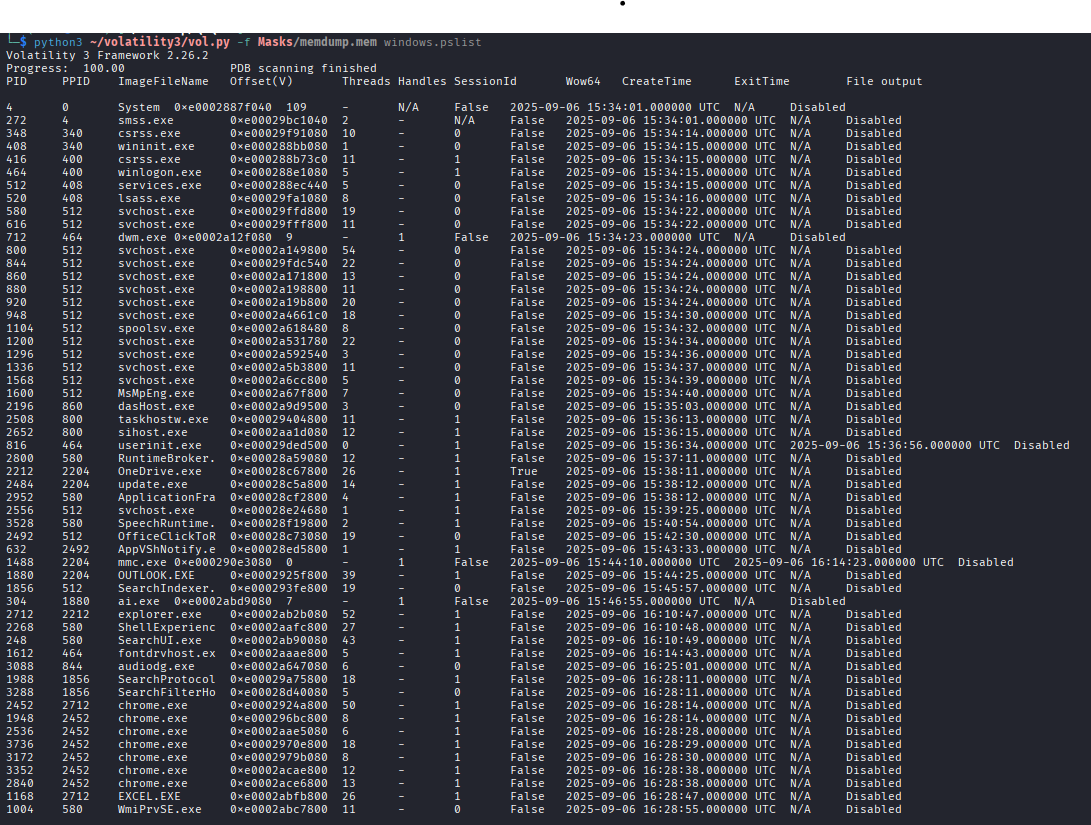
We enumerated all running processes using windows.pslist.
- Finding:
OUTLOOK.exewas active, confirming it as the delivery vector for the phishing email.
Question 2: Phishing Email Reception Time
We extracted the Outlook data files (OST) using windows.filescan and windows.dumpfiles.
- Finding: Post-extraction with
pffexport, the timestamp was identified as2025-09-06 15:24:45.

Question 3: CVE Identification
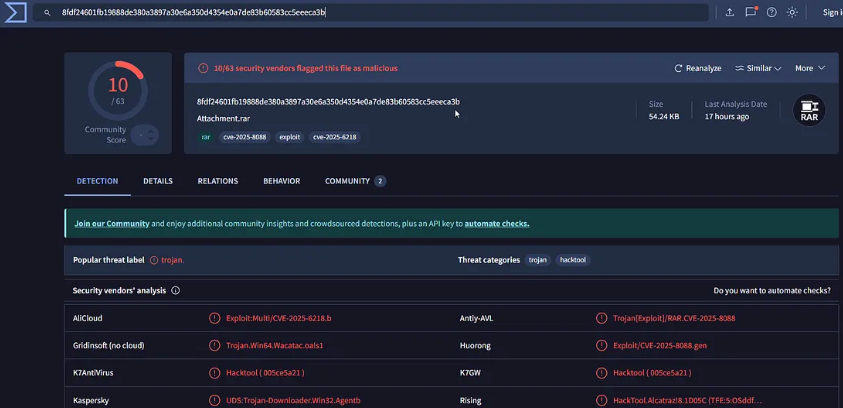
The malicious attachment was a .rar file. Analyzing strings and cross-referencing with VirusTotal revealed the exploit.
- Answer:
CVE-2025-8088
Question 4: Malicious Loader Path
Strings analysis of the suspicious RAR attachment revealed the drop location.
- Answer:
C:\Users\tyler\AppData\Roaming\Microsoft\Windows\Start Menu\Programs\Startup\update.exe
Question 5: Malicious Loader Hash
Directly dumping the file from memory failed to yield the correct hash for the platform. We pivoted to AmCache analysis.
[!TIP]
AmCache.hve stores SHA1 hashes of executed programs. We usedwindows.amcacheto find the loader's SHA1, then cross-referenced it on VirusTotal to get the SHA256.
- Answer:
fdccd1cf5bc43b638e530cdccd0e284f018e3239f65a9896e2c02246b3e1a6af

Question 6: Shellcode URL
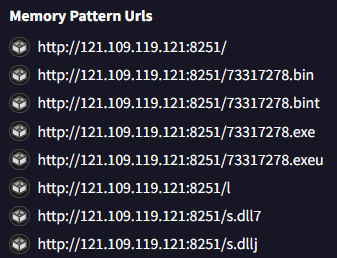
Using VirusTotal's Behavior tab for the identified loader hash:
- Answer:
http://121.109.119.121:8251/73317278.bin
Question 7: Command & Control (C2) Server
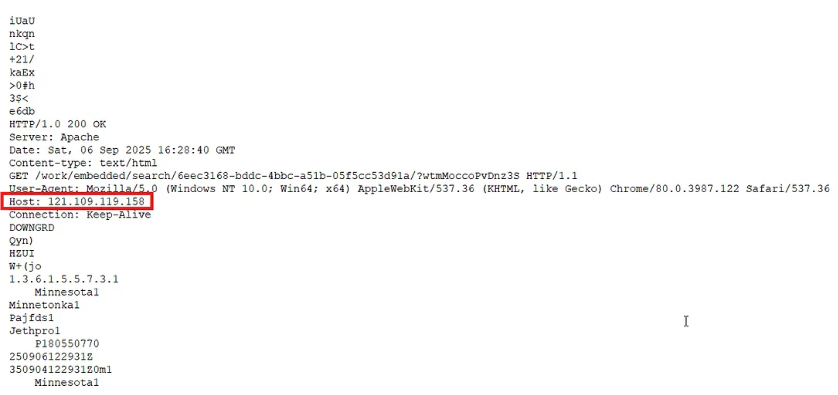
Analyzed strings from a process memory dump (windows.memmap) of the loader.
- Answer:
121.109.119.158:443
Question 8: Persistence Mechanism
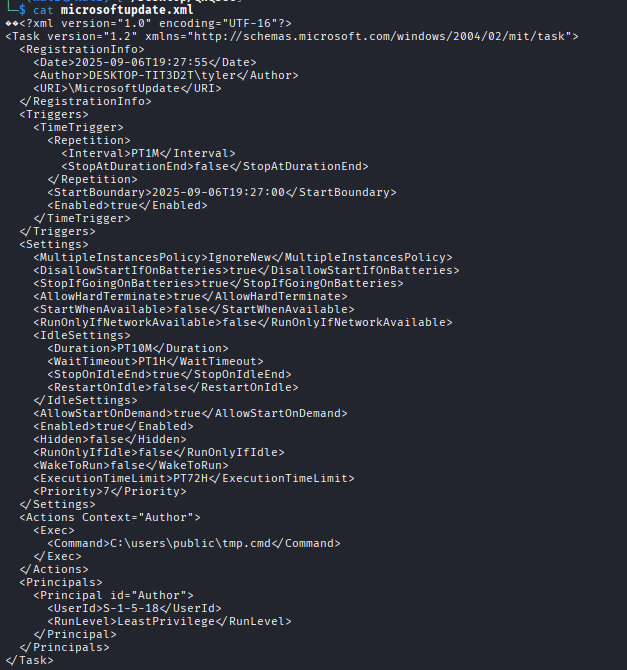
Traditional registry Run keys were clean. We pivoted to Scheduled Tasks in C:\Windows\System32\Tasks.
- Finding: A suspicious task named
MicrosoftUpdatewas found. - Command:
C:\users\public\tmp.cmd
🛠️ Tools & Techniques
- Memory Forensics: Volatility 3 (
pslist,filescan,dumpfiles,amcache,memmap) - Email Forensics:
pffexport, OST Analysis - OSINT: VirusTotal Behavior Analysis
- Persistence Hunting: Scheduled Task XML examination